Skip to content


DJI Matrice 400 v17.02.50.07 August 2026 Release Notes Explained
- by Stefan Gandhi
DJI published a fresh set of Matrice 400 release notes on 11 August 2026, and the headline is a quiet one. Aircraft firmware stays at v17.02.50.07, the remote controller gets a new build, and DJI Pilot 2 for Android steps up to v17.3.0.24. The change log itself reads simply as fixed known issues, which makes this a stability release rather than a feature drop. Here is what is in the package and the one payload step you must not skip.
What Changed In The 11 August 2026 Matrice 400 Release
The release notes list a single entry under what is new, and that entry is fixed known issues. DJI has not published a breakdown of which specific behaviours were addressed, which is normal for a maintenance build in the Matrice line.
What has moved is the software around the aircraft. The remote controller carries a new firmware build in this release, and DJI Pilot 2 for Android has gone from v17.2.5.28 in the July release to v17.3.0.24 here. The aircraft firmware number has not changed since the 8 July 2026 release notes, so if you already updated in July, the aircraft itself is on the current build.
For fleet operators the practical read is straightforward. This is the release you take to clear lingering niggles and bring the controller and app into line with the current aircraft firmware, not the release you plan a new capability around.
The Full Component Version List
The Matrice 400 release notes cover the whole ecosystem, not just the airframe. The 11 August 2026 versions are as follows.
- Aircraft Firmware v17.02.50.07
- Remote Controller Firmware v01.64.08.18
- DJI Pilot 2 App Android v17.3.0.24
- Manifold 3 v17.00.01.01
- AP100 Parachute v00.01.29.01
- D-RTK 2 Mobile Station for Matrice v03.01.0000
- D-RTK 3 Mobile Station for Matrice v17.01.05.02
- DJI O4 Ground Station v17.02.05.33
- BS100 Intelligent Battery Station v01.00.00.13
- TB100 Intelligent Flight Battery v16.00.00.64
- TB100C Tethered Battery v17.00.00.40
- Zenmuse V1 v02.00.00.08
- Zenmuse S1 v02.00.00.08
- Zenmuse P1 v10.01.02.01
- Zenmuse L2 v06.00.01.04
- Zenmuse L3 v17.02.00.02
- Zenmuse H30 and H30T v10.06.01.06
- DJI X-Port v01.04.01.15
- DJI Skyport V2 v01.04.11.14
- DJI Assistant 2 (Enterprise Series) v2.1.20
Worth logging that the AP100 parachute now sits inside the standard version table at v00.01.29.01, which reflects how quickly that payload has become part of the routine Matrice 400 build rather than an optional extra.
Why The Aircraft Firmware Number Has Not Moved
Two consecutive release notes carrying the same aircraft firmware version can look like an error. It is not. DJI issues Matrice 400 release notes as a snapshot of the whole compatible ecosystem at a point in time, so a document dated 11 August 2026 restates every component version even where only some of them changed.
The version to check against is the one your aircraft reports in DJI Assistant 2 or in DJI Pilot 2. If it already reads v17.02.50.07 you are current on the airframe, and your work in this cycle is the controller, the app and any payloads sitting behind.
Update The Payload Before You Update The Aircraft
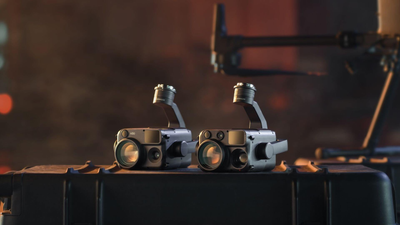
DJI flags one note in this release that matters more than the change log. When using the Zenmuse L2, Zenmuse P1 or Zenmuse H30 series with the Matrice 400, update the payload to its latest firmware using an SD card first.
Getting that order wrong is the most common cause of a payload refusing to initialise after an aircraft update. Pull the card, update the gimbal, then move on to the aircraft and controller.
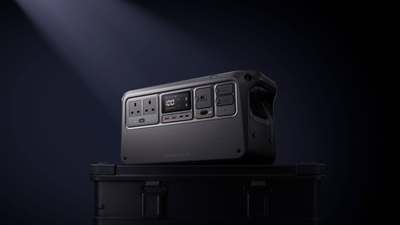
There is a second quirk worth knowing on the battery side. The BS100 Intelligent Battery Station firmware v01.00.00.13 includes the battery update within it. Once applied, DJI Pilot 2 reports the battery station as v07.00.00.40 and the battery station adapter as v00.00.00.12, which does not match the version number you installed. That is expected behaviour, not a failed update.
How To Install The Update
DJI lists the upgrade path for each part of the system. The aircraft and remote controller update through DJI Assistant 2 or through the app. The D-RTK mobile stations update through DJI Assistant 2. The built-in DJI Pilot 2 app updates alongside the remote controller firmware, so there is no separate app step there. The Intelligent Battery Station updates through the app, by connecting the station to the remote controller and running the update from the HMS page in DJI Pilot 2.
Standard fleet practice applies. Charge everything above half, update one airframe first and fly a short functional check before rolling the build out across the fleet, and record the versions you land on so the next release notes are quick to reconcile.
FAQs
What is new in DJI Matrice 400 firmware v17.02.50.07?
The 11 August 2026 release notes list fixed known issues as the only change. Aircraft firmware remains at v17.02.50.07, while the remote controller firmware and DJI Pilot 2 for Android both carry new builds.
How do I update my DJI Matrice 400?
Update the aircraft and remote controller through DJI Assistant 2 or the app. Update payloads such as the Zenmuse L2, P1 or H30 series using an SD card before you touch the aircraft. The Intelligent Battery Station updates from the HMS page in DJI Pilot 2 with the station connected to the controller.
Why does my battery station show a different version after updating?
Because the BS100 firmware v01.00.00.13 bundles the battery update inside it. After a successful update DJI Pilot 2 reports the station as v07.00.00.40 and the adapter as v00.00.00.12. Those numbers are correct.
Do I need to update if I already installed the July firmware?
The aircraft firmware is unchanged from the 8 July 2026 release, so your airframe is already current. You would still want the newer remote controller firmware and DJI Pilot 2 v17.3.0.24 to stay aligned with DJI's supported combination.
Which DJI Pilot 2 version pairs with this release?
DJI Pilot 2 App for Android v17.3.0.24, up from v17.2.5.28 in the previous release notes.
Final Thoughts
Maintenance releases rarely make headlines, and this one will not either. That is exactly why it is worth applying. A build that clears known issues and aligns the controller and app with the aircraft is the difference between a fleet that flies predictably and one that throws odd faults on site. Update the payloads first, verify on one airframe, then roll it out.
Ready to add a Matrice 400 to your fleet? See the DJI Matrice 400 Worry-Free Plus Combo at the Coptrz official online store for current UK pricing and configuration options.