Skip to content


DJI Avata 360 Update Adds Waypoints, Zoom and RC Pro 2 Support
- by Megan Wood
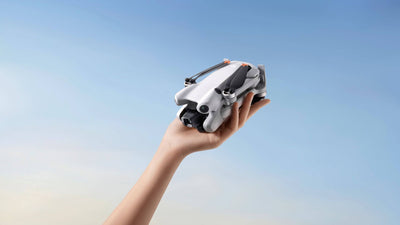
Filming the same 360° shot twice used to mean flying it by hand twice. DJI’s latest Avata 360 firmware changes that, so here’s what the update brings and how to put it to work on your projects.
What the Avata 360 firmware update changes
The October 2026 release (aircraft firmware v01.00.0800) is the first to add new features in a while, following September’s stability-only update. There are four changes:
-
Waypoint flight
-
Compatibility with the DJI RC Pro 2 controller (firmware v1.00.0900)
-
Zoom while using Focus Track
- A Vision Assist view that follows your direction of travel
Why waypoints matter for 360° filming
A waypoint route is a flight path you plan on a map in advance. The drone then flies it for you, following the same line every time.
On a standard camera drone, a planned route only works if the camera is also pointing the right way. A 360° drone records the whole scene around it, so you can choose your angles afterwards in editing. Put the two together and you get consistent, repeatable footage with the freedom to reframe later.
That opens up some practical uses:
-
Property and venue tours that match across seasons or after a refurbishment
-
Construction progress clips flown along the same line each month
- Tourism and event content with a smooth, polished path and no second operator
Easier control and better awareness
RC Pro 2 support means you can fly the Avata 360 from a controller with its own high-brightness screen, so there’s no phone to connect. If you already own a DJI drone that uses the RC Pro 2, you can use the same controller for both.
Vision Assist now switches its view to match the way you’re moving. That’s a real help when you reverse or slide sideways around a building, where it’s easy to lose track of what’s behind you.
Focus Track zoom, meanwhile, lets you frame a subject more tightly while the drone follows it.
Getting set up
-
Update both the aircraft and the RC Pro 2 before trying the new features.
-
Note settings such as return-to-home altitude beforehand, in case they reset.
- Leave plenty of clearance from trees and buildings when you plan a route, and test it at a safe height first.
The Avata 360 is available from Coptrz in a choice of kits, from the drone with DJI RC 2 to the Motion Fly More Combo. It shoots 8K/60fps HDR 360° video, with up to 23 minutes’ flight time (DJI’s maximum in ideal conditions).
FAQs
Which features does the October 2026 Avata 360 update add?
Waypoint flight, DJI RC Pro 2 compatibility, Focus Track zoom and a direction-aware Vision Assist view.
Does the Avata 360 work with the DJI RC Pro 2?
Yes, as long as both the drone and the controller are running the latest firmware.
Why are waypoints useful on a 360° drone?
You get a repeatable flight path, and because the camera captures everything, you can choose the framing afterwards.
Final thoughts
Fancy planning your own 360° routes? Explore the full DJI Avata 360 range at Coptrz.